



VALORANT Sensitivity & eDPI Guide: cm/360, Aim Stability
VALORANT Sensitivity & eDPI Guide: cm/360, Stability, and Muscle Memory
If your aim feels “random” day to day, sensitivity is often the hidden culprit—not because your number is wrong, but because your process is inconsistent. This guide is built to be timeless: it explains how VALORANT sensitivity actually works (DPI, in-game sens, eDPI, and cm/360), why “muscle memory” is misunderstood, and how to choose a sensitivity you can keep for months—without endlessly copying pros or changing settings after every bad match.
You’ll learn a step-by-step method to find a stable sensitivity using measurable tests (flicks, micro-adjustments, and tracking), plus a “lock-in” routine that protects you from tilt changes and placebo.
Table of Contents
- Sensitivity Basics: DPI, eDPI, and Why Numbers Confuse People
- eDPI Explained (and What It Does Not Mean)
- cm/360 Explained: The Most Useful “Universal” Measurement
- Reasonable Sensitivity Ranges for VALORANT (and Why Range > One Perfect Number)
- Stability Fundamentals: The Real “Muscle Memory”
- System & Game Settings That Quietly Break Consistency
- How to Choose Your Sensitivity: A Practical 3-Phase Method
- Aim Tests That Actually Diagnose Sensitivity Problems
- Sensitivity by Role & Playstyle (Duelist vs Sentinel, Entry vs Anchor)
- ADS & Scoped Sensitivity: Keeping It Simple
- Grip, Posture, and Mouse Control: Why Two Players Can’t Copy the Same Sens
- Practice Plan: Warm-Up, Skill Blocks, and Weekly Review
- Common Pitfalls: Why Your Aim Feels Worse After “Fixing” Sens
- FAQ: Quick Answers (Acceleration, 800 vs 1600 DPI, and More)
- Wrap-Up and Next Steps
1) Sensitivity Basics: DPI, eDPI, and Why Numbers Confuse People
VALORANT sensitivity is a two-part multiplication:
- Mouse DPI (dots per inch): a hardware setting that determines how far your cursor moves per inch of physical movement.
- In-game sensitivity: a software multiplier that determines how much VALORANT rotates your view per mouse input unit.
The same in-game sensitivity can feel completely different at different DPI values. That’s why you’ll see people report “0.35 sens” or “0.22 sens” and it won’t translate unless you know their DPI.
Think of DPI as the “raw input scale” and in-game sensitivity as the “camera rotation scale.” Multiply them together and you get a single number called eDPI (effective DPI).
Trusted reading if you want a simple definition of DPI and related terms: Wikipedia – Dots per inch. (You don’t need the math to aim, but it helps to understand what your settings represent.)
Why copying pros rarely works
Pro settings are a snapshot of their entire setup: desk height, mouse shape, grip style, pad size, posture, and years of adaptation. Copying the number without copying the environment is like wearing a marathon runner’s shoes and expecting the same pace.
This guide focuses on what you can control: choosing a sensitivity that fits your mechanics and training it in a way that makes your aim more stable over time.
2) eDPI Explained (and What It Does Not Mean)
eDPI is the simplest way to compare sensitivities across different DPI values:
eDPI = DPI × in-game sensitivity
Example:
- 800 DPI × 0.35 sens = 280 eDPI
- 1600 DPI × 0.175 sens = 280 eDPI
These two setups are effectively the same rotation speed in VALORANT. That’s the main use of eDPI: it allows apples-to-apples comparison.
What eDPI does NOT tell you
eDPI does not guarantee identical feel because feel is affected by:
- Sensor behavior and mouse firmware (especially on older mice).
- Windows settings and whether you are using raw input in-game.
- Mouse feet, pad friction, humidity, and your grip pressure.
- How you aim (arm vs wrist vs fingers) and your posture.
Still, eDPI is an excellent first filter. It narrows down the range you should test so you don’t waste time with extreme values.
3) cm/360 Explained: The Most Useful “Universal” Measurement
If eDPI is a convenient comparison, cm/360 is the most practical real-world metric: how many centimeters you must move your mouse to rotate one full 360° turn in-game.
Why it matters:
- It ties your sensitivity to your mousepad space.
- It makes it obvious whether you can comfortably turn, clear corners, and do fast flicks without hitting the pad edge.
- It helps you avoid “too fast for micro” or “too slow for turns” without relying on vibes.
How to measure your cm/360 (simple method)
- Go into the Practice Range.
- Place your crosshair on a clear reference point (a line or corner).
- Put your mouse at the left side of your pad (or a consistent start point).
- Move the mouse smoothly until you rotate exactly 360° and face the same reference point again.
- Measure the distance traveled on the pad in centimeters.
Don’t overthink the exactness—repeat it 2–3 times and take the average. You’re looking for a ballpark.
Why cm/360 beats “my sens is 0.28”
“0.28 at 800 DPI” tells you nothing about pad size. “~45 cm/360” instantly tells you whether you need a large pad, whether 180° turns will be comfortable, and whether you’re likely to slam into the edge when entrying.
4) Reasonable Sensitivity Ranges for VALORANT (and Why Range > One Perfect Number)
VALORANT rewards precision: first-bullet accuracy, micro-adjustments, and controlled recoil. That typically pushes players toward lower sensitivities than fast-tracking arena shooters.
A useful “starting corridor” for most players is roughly:
- eDPI: about 160–400
- cm/360: often about 25–60 cm
These are not rules. They’re guardrails. Within a healthy corridor, performance depends more on: stability, training quality, and consistency than the exact number.
When you might want lower vs higher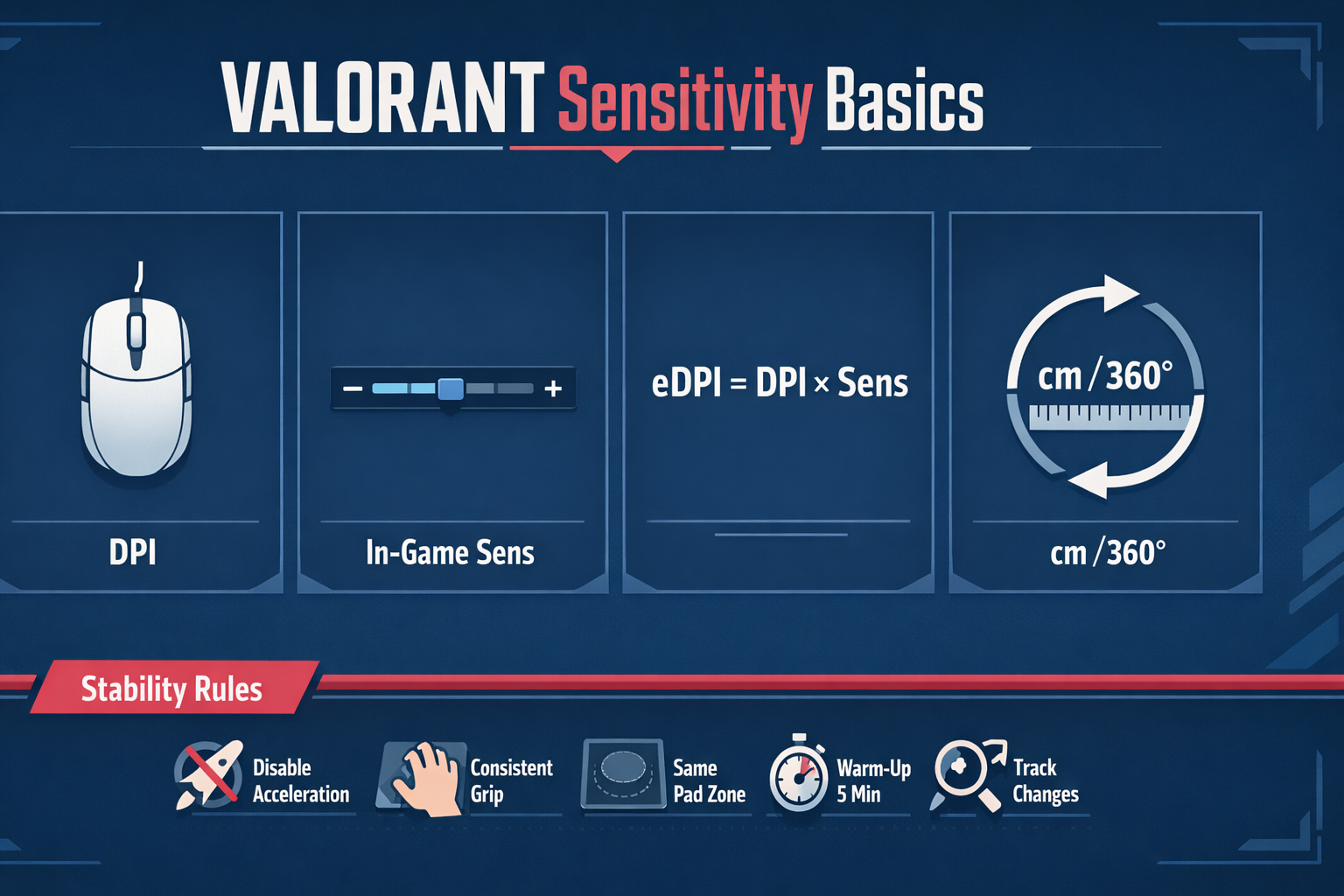
- Lower sens (higher cm/360): usually easier micro-corrections, steadier crosshair, calmer recoil control.
- Higher sens (lower cm/360): easier fast turns, quicker multi-target transitions, less pad travel.
The goal is balance: a sensitivity that allows:
- Reliable micro (head-level correction)
- Comfortable 180° turns without panic-swiping
- Clean stop-and-click flicks
- Stable spray control under pressure
5) Stability Fundamentals: The Real “Muscle Memory”
“Muscle memory” is often described as if your body stores one magic sensitivity forever. In reality, what you build is:
- Motor patterns (how you start/stop the mouse)
- Visual-motor calibration (how your eyes correct your hand)
- Consistency habits (same grip pressure, same posture, same friction feel)
The brain is adaptable. If you make a small sensitivity change, you can recalibrate quickly—if your fundamentals are stable. But if your fundamentals change every day (grip, posture, pad position, Windows settings), it feels like you never “lock in.”
The 3 pillars of aim stability
- Input stability: no acceleration, no random settings changes, consistent hardware behavior.
- Mechanical stability: consistent grip, posture, and control method (arm/wrist/fingers).
- Training stability: repeatable warm-up and drills that reinforce the same movements.
If you only take one thing from this guide: optimize for stability first, then refine sensitivity second.
6) System & Game Settings That Quietly Break Consistency
Before you test sensitivity, eliminate the common “hidden chaos” sources:
Windows pointer settings
- Disable mouse acceleration in Windows (“Enhance pointer precision”). It changes movement based on speed, which fights consistency.
- Keep Windows pointer speed at a consistent value (many players leave it at the default middle setting).
Microsoft’s own explanation of pointer precision and mouse behavior is a helpful reference: Microsoft Support.
VALORANT raw input
Ensure VALORANT uses raw input (where applicable) so your in-game aim isn’t affected by OS-level pointer scaling. This keeps your mouse data cleaner and more consistent.
Polling rate and consistency
Most modern gaming mice support 500–1000 Hz polling. Higher is not always “better” if it causes instability on your system. Choose a polling rate that is stable (no stutter, no dropped frames) and keep it consistent.
Frame rate and input feel
Sensitivity “feel” can change when frame rate fluctuates. If your FPS swings wildly, your tracking and flick timing can feel off. Prioritize stable performance settings over max visuals.
Mousepad and desk setup
- Use a pad size that matches your cm/360.
- Keep the pad in the same position every session.
- Reduce friction variability: wipe the pad, keep hands clean, and avoid dramatic humidity changes when possible.
7) How to Choose Your Sensitivity: A Practical 3-Phase Method
Here’s a method that works because it prevents endless tinkering. It’s built around finding a comfortable range, testing it with purpose, then locking it for long enough to actually adapt.
Phase 1: Pick a sensible starting point
Choose a starting eDPI in the reasonable corridor (roughly 160–400). If you have no clue:
- Start around 240–320 eDPI if you want a balanced baseline.
- If you have a small pad or prefer wrist aim, start slightly higher (within reason).
- If you have a large pad and like arm aim, start slightly lower.
Then measure your approximate cm/360. If you can’t comfortably 180° without lifting or hitting the edge, it’s probably too low. If your micro feels jittery and you overcorrect, it may be too high.
Phase 2: Run a short structured test (30–45 minutes total)
Test three sensitivity points:
- Baseline (your start)
- -10% (slightly lower)
- +10% (slightly higher)
Don’t test 10 different numbers. That turns into noise. You’re simply bracketing your best zone.
Phase 3: Lock for 14 days (yes, even if it feels “off” on day 2)
Once you pick the best-feeling of the three, lock it for two weeks. Your goal is adaptation and consistency. Sensitivity hopping is the fastest way to never build stable calibration.
If you want a performance-oriented path while you build consistency, consider pairing your practice with a structured improvement plan (and if you ever want a guided climb, here’s the relevant pricing page to keep it simple): Boosteria VALORANT Boosting Prices.
8) Aim Tests That Actually Diagnose Sensitivity Problems
Most “sens tests” fail because they’re vague: you play a few Deathmatches and decide based on mood. Use diagnostic drills that isolate specific aim skills.
Test A: Micro-correction and stopping power (head clicks)
In the Practice Range, focus on small head-level corrections:
- Place crosshair near the bot head (not exactly on it).
- Move to the head with a short correction.
- Stop cleanly and click.
- Repeat slowly, then slightly faster.
Diagnosis:
- If you regularly overshoot tiny corrections, your sens may be too high or your grip pressure is unstable.
- If you undershoot and feel stuck, your sens may be too low or you’re too tense to accelerate the mouse.
Test B: Flick consistency (single target, repeatable distance)
Pick two fixed points (e.g., two marks on a wall) and flick between them at a consistent rhythm. You’re evaluating whether your hand can repeat the same motion reliably.
Diagnosis:
- Too high often shows as “bounce” past the target and correction back.
- Too low often shows as “drag” and late arrival, especially when speeding up.
Test C: Tracking control (smoothness)
VALORANT is not tracking-heavy like some titles, but smoothness matters for: strafe adjustments, spray transfers, and following wide swings. Track a moving target (bots or practice scenarios) with a calm hand and minimal jitter.
Diagnosis:
- High sens can create micro-jitter that feels like “shaking.”
- Low sens can feel “floaty” and slow to follow fast direction changes.
Test D: 180° comfort (real pad reality check)
In an empty space, practice snapping 180° and stopping on a reference point. If you consistently run out of pad or need multiple lifts, your cm/360 is likely too high for your setup.
Optional tools (keep it simple)
Aim trainers can help you isolate mechanics, but they are not mandatory. If you use one, prioritize scenarios that match VALORANT’s needs: click timing, micro-correction, and controlled flicks. Aim Lab is a popular option: Aim Lab.
9) Sensitivity by Role & Playstyle (Duelist vs Sentinel, Entry vs Anchor)
Your role influences what “comfortable” means. The best sensitivity is the one that supports your most common fights.
Entry / Duelist-heavy play
- More fast turns, more multi-target transitions, more chaotic close-range fights.
- You may benefit from a slightly higher sensitivity within the healthy corridor to keep movement comfortable.
Anchor / Sentinel-heavy play
- More holding angles, more first-shot precision, more discipline in micro-adjustments.
- You may prefer slightly lower sensitivity to maximize steadiness and recoil control.
Flex players
If you switch roles often, choose a balanced sens and focus on consistency habits. Your adaptability will come from repetition, not from changing settings based on agent selection.
10) ADS & Scoped Sensitivity: Keeping It Simple
VALORANT includes ADS and scoped sensitivity multipliers. The biggest mistake players make is overcomplicating these settings.
A timeless principle:
- Keep ADS/scoped multipliers close to default unless you have a specific problem you’re solving.
- If you change it, change it once, test it for a week, and lock it.
Why? Because consistency is the point. If your hipfire is trained at one speed and your ADS is trained at another speed, you’re building two different calibrations. That can work, but it slows learning unless you practice both deliberately.
When adjusting ADS/scoped can help
- If you consistently overflick when scoped (especially with Operator), you may prefer slightly slower scoped feel.
- If you feel “stuck” while ADS tracking a wide swing, slightly faster can help.
Make small changes only, and only after your base hipfire sensitivity is stable.
11) Grip, Posture, and Mouse Control: Why Two Players Can’t Copy the Same Sens
Sensitivity is not only a number—it’s a relationship between your body and the mouse. Two players with the same eDPI can have opposite results because their mechanics differ.
Arm aim vs wrist aim vs finger aim
- Arm aim: uses forearm movement for large turns and broad flicks. Typically pairs well with lower sens (higher cm/360).
- Wrist aim: uses wrist rotation for most movement. Often pairs with mid to slightly higher sens, depending on comfort.
- Finger aim: fine-tunes micro with fingers, often combined with wrist. Great for micro-corrections at many sensitivities.
Most strong VALORANT aimers are hybrids: arm for big motion, wrist/fingers for micro and stopping.
Grip pressure is the silent killer
If your grip tightens under pressure, your sensitivity effectively “feels higher” because your hand becomes twitchy. Instead of immediately lowering sensitivity, first reduce pressure:
- Exhale before a peek.
- Relax your shoulders.
- Hold the mouse firmly enough to control, but not enough to crush it.
Posture consistency
If your chair height changes, your elbow angle changes. If your elbow angle changes, your aim arc changes. Try to keep:
- Chair height consistent
- Mousepad position consistent
- Forearm supported similarly each session
12) Practice Plan: Warm-Up, Skill Blocks, and Weekly Review
Sensitivity is only as good as the training you apply to it. Here’s a practical routine that reinforces stability.
Daily warm-up (10–15 minutes)
- 2 minutes: slow micro-corrections (focus on clean stops)
- 3 minutes: medium flicks between fixed points (repeatable rhythm)
- 3 minutes: burst tracking (smooth follow then stop)
- 2–7 minutes: light Deathmatch with one rule: calm crosshair placement > speed
The warm-up is not a test. It’s calibration—telling your brain, “this is the mouse today.”
Skill blocks (20–40 minutes, 3–5 days/week)
Rotate emphasis by day:
- Micro day: head-level corrections, first bullet discipline, minimal overflick
- Flick day: stop-and-click from common angle distances
- Movement day: counter-strafe timing, shoot-stop-shoot rhythm
- Transfer day: two-target transitions without panic
Weekly review (10 minutes)
Once per week, review a small sample of fights (even 10 clips is enough). Look for patterns:
- Do you miss by overshooting (too fast / too tense)?
- Do you miss by undershooting (too slow / too hesitant)?
- Do you miss by bad crosshair placement (not a sensitivity issue)?
Many players “fix” sensitivity when the real problem is crosshair placement, timing, or panic shooting. The review prevents false diagnoses.
13) Common Pitfalls: Why Your Aim Feels Worse After “Fixing” Sens
Pitfall 1: Changing sensitivity after every bad game
A single match is not evidence. VALORANT has variance: opponents swing differently, ping differs, your mental changes. If you change sens too often, you never adapt.
Pitfall 2: Confusing speed with control
Higher sens can feel “snappy” in the range, then collapse under stress because your stopping power isn’t trained. Control wins rounds—especially in VALORANT where precision matters more than raw turn speed.
Pitfall 3: Using the wrong test
Deathmatch is useful, but it mixes everything: audio, timing, ego peeks, messy spawns. Use it as a light integration tool, not as your only metric.
Pitfall 4: Ignoring your mousepad reality
If your cm/360 demands more pad than you own, you’ll lift often and introduce inconsistency. If your sens is so high that every micro adjustment becomes shaky, you’ll also struggle. Your setup must match your sensitivity.
Pitfall 5: “Muscle memory” myths
Your brain can adapt to small changes. What it struggles with is chaos: acceleration on, inconsistent posture, inconsistent grip, changing sens weekly. If you stabilize your environment, you’ll stabilize faster than you expect.
14) FAQ: Quick Answers (Acceleration, 800 vs 1600 DPI, and More)
Should I use 800 DPI or 1600 DPI?
Either can be excellent. What matters most is consistency and a quality sensor. Some players prefer 1600 DPI because it can feel slightly more responsive in certain setups, but the difference is often subtle. If you switch DPI, adjust in-game sens to keep the same eDPI and test for stability.
Do I need to match a pro’s eDPI to be good?
No. Pros are clustered in reasonable ranges, but your best number depends on pad space, grip, and comfort. Use pros as a reference corridor, not as a commandment.
Is mouse acceleration ever okay?
For competitive consistency in VALORANT, acceleration usually makes aim less predictable because the same physical movement produces different outputs depending on speed. If your goal is stable calibration, disable it and keep it off.
My crosshair shakes—should I lower sens?
Sometimes, but first check:
- Grip pressure (are you squeezing?)
- Posture (are your shoulders tense?)
- Pad friction (dirty pad or worn feet)
- FPS stability (stutter can feel like shake)
If everything else is stable, then a small reduction (5–10%) can improve micro control.
I can’t clear corners fast enough—should I raise sens?
Possibly, but also consider technique:
- Use arm for big turns, wrist/fingers for micro.
- Practice 90° and 180° snaps with clean stops.
- Ensure your pad size supports your current cm/360.
Should I change sens when I change mousepads?
Usually no. Give yourself time to adapt. New friction changes “feel,” but your brain calibrates. Only adjust if you have a persistent pattern over multiple sessions, not one day.
15) Wrap-Up and Next Steps
VALORANT sensitivity isn’t about finding a mythical perfect number—it’s about choosing a sensible range, testing with purpose, and training long enough to build stable calibration. If you:
- Disable acceleration and stabilize your setup
- Choose a reasonable eDPI and verify cm/360 fits your pad
- Test with micro, flick, tracking, and 180° comfort checks
- Lock settings for 14 days while you practice consistently
…your aim will feel less “random” and more repeatable. That repeatability is the real foundation of confidence.
If your goal is faster improvement with structured help and consistent execution, you can also check: VALORANT Boosting Prices.
Quick Reference: Sensitivity Checklist
- Input: no acceleration, stable polling, stable FPS
- Measure: know your eDPI and approximate cm/360
- Test: baseline, -10%, +10% with structured drills
- Lock: keep the chosen sens for 14 days
- Train: micro + stopping power + calm flicks
- Review: diagnose overshoot vs undershoot vs placement